Tips for Creating an Organized and Productive Home Office Space
Creating an organized and productive home office space is essential for anyone working remotely or managing tasks from home. A well-planned area can help you concentrate, reduce stress, and maintain a healthy work-life balance. This guide offers practical tips to transform any space into an efficient and comfortable home office.
Choose the Right Location
Selecting the right spot for your home office is the first step. Consider the following factors:
– Natural light: Position your desk near a window if possible. Natural light improves mood and reduces eye strain.
– Quiet environment: Pick a low-traffic area in your home to minimize distractions.
– Space availability: Ensure there’s enough room for your desk, chair, and storage without feeling cramped.
Invest in Ergonomic Furniture
Comfort is crucial for long work hours. Ergonomic furniture supports your body and can prevent discomfort or injury.
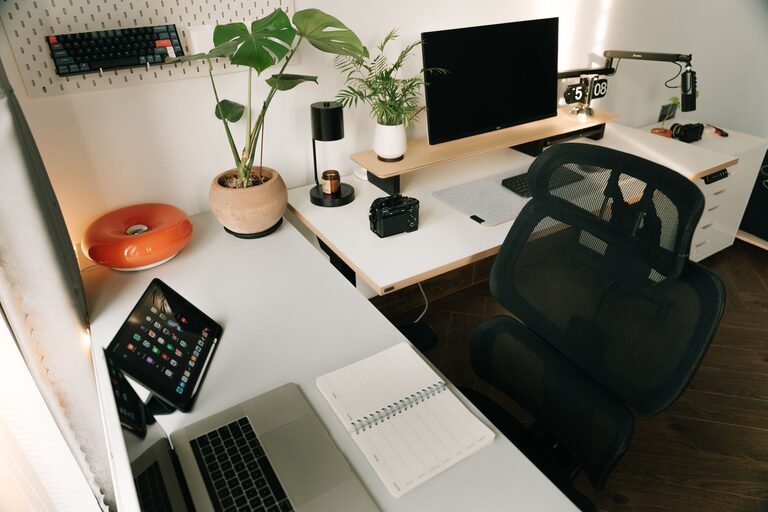
– Ergonomic chair: Choose a chair with adjustable height and lumbar support.
– Desk height: Your desk should allow your elbows to rest at about a 90-degree angle when typing.
– Monitor positioning: Place your monitor at eye level about an arm’s length away to reduce neck strain.
Declutter and Organize
A tidy workspace promotes focus and efficiency.
– Sort paperwork: Use filing cabinets or boxes to keep important documents organized and out of sight.
– Limit desk items: Only keep essential tools and supplies on your desk.
– Use organizers: Drawer dividers, trays, and pen holders help keep small items neatly arranged.
Utilize Smart Storage Solutions
Storage is key to maintaining an orderly space.
– Shelves: Wall-mounted shelves free up desk area and provide space for books or decor.
– Storage bins: Transparent bins or labeled containers make it easy to find what you need.
– Cable management: Use clips or sleeves to keep cords tidy and prevent tangling.
Create a Personalized Atmosphere
Adding personal touches can make your office feel inviting and motivate you to work.
– Decor: Incorporate artwork, plants, or photos that inspire you.
– Color scheme: Choose colors that boost productivity, such as blues, greens, or neutrals.
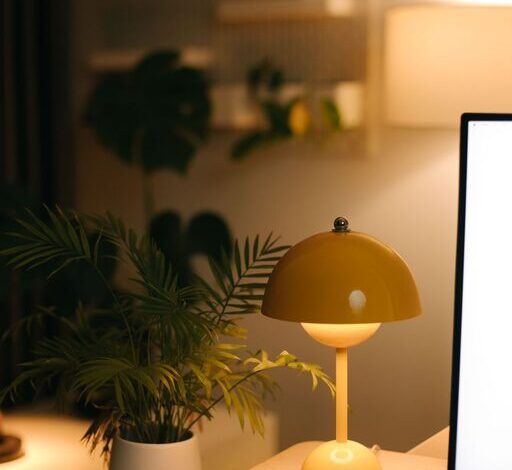
– Lighting: Include a desk lamp with adjustable brightness for focused tasks.
Establish a Functional Workflow
Design your space to support your daily work habits.
– Zone your workspace: Designate areas for computer work, paperwork, and brainstorming.
– Keep frequently used items nearby: Store essential tools within arm’s reach.
– Plan for breaks: Include a comfortable chair or small area where you can briefly step away and relax.
Minimize Digital Distractions
In addition to physical organization, managing digital clutter can improve productivity.
– Declutter your desktop: Keep only necessary files and folders visible.
– Use task management apps: Tools like to-do lists or calendars help keep you on track.
– Limit notifications: Turn off non-essential alerts during work hours.
Maintain Your Space Regularly
Consistency is important to keep your home office productive.
– Daily tidying: Spend a few minutes at the end of each day putting things back in place.
– Weekly deep clean: Dust surfaces and organize files to maintain a fresh environment.
– Review your setup: Periodically assess if your space still meets your needs and make adjustments.
Conclusion
Designing a home office that is both organized and productive doesn’t have to be complicated. By selecting the right location, investing in ergonomic furniture, keeping clutter at bay, and personalizing your space, you set the stage for effective workdays. Regular maintenance and thoughtful workflow planning further enhance your productivity, making working from home a pleasant and efficient experience.